
Privacy-first cleaning
Remove all EXIF, IPTC and GPS traces with a single tap.
EXIF Studio shows, edits and cleans EXIF, TIFF, IPTC and GPS in one screen before you share.
All processing happens on device; nothing leaves your phone.
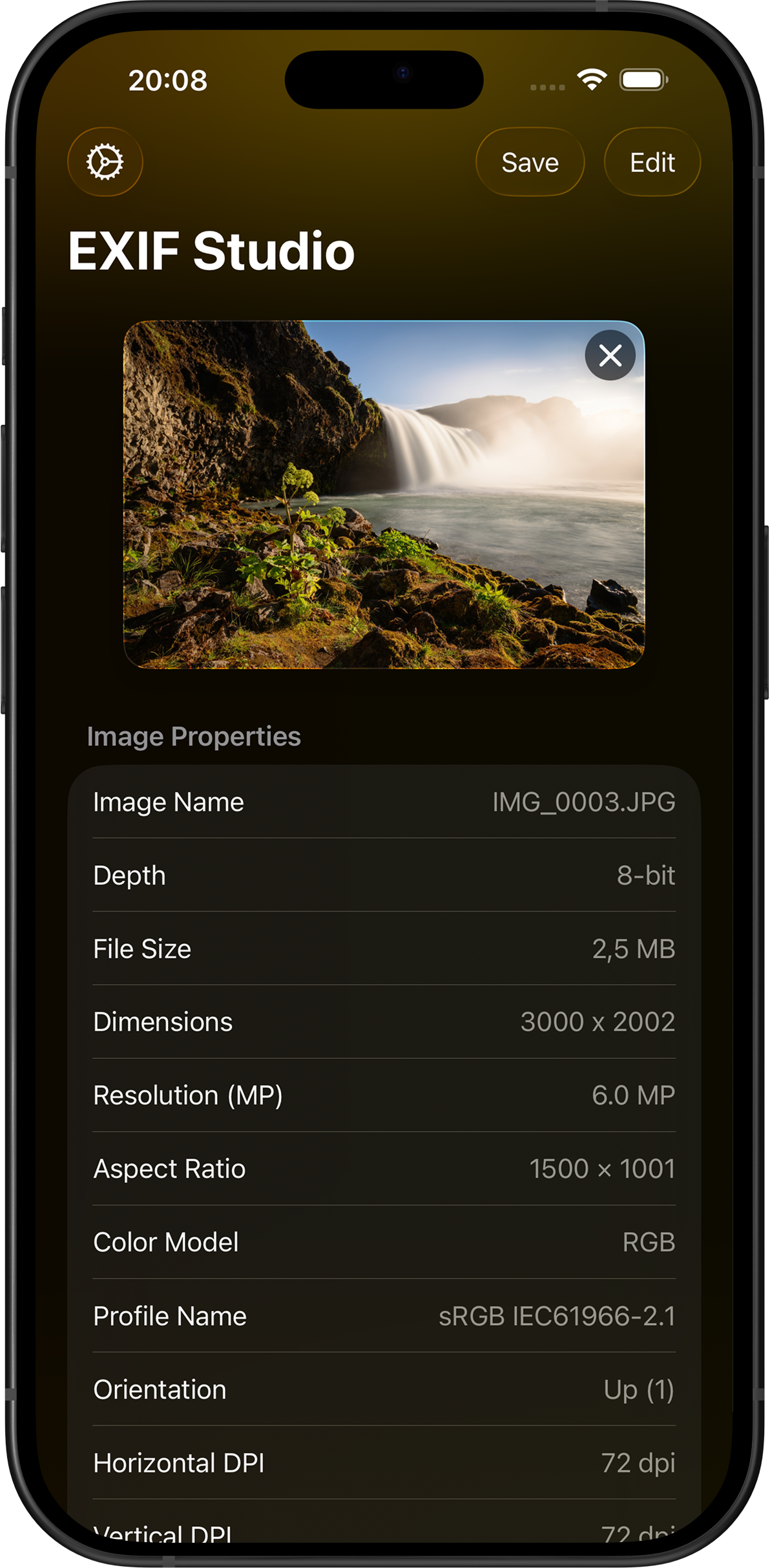
Surface every technical detail, then clean personal traces before sharing.
Remove all EXIF, IPTC and GPS traces with a single tap.
See where a photo was taken, change it, or remove GPS entirely.
Inspect aperture, ISO, shutter speed, file size, depth and more.
Edit copyright, author, title and keywords quickly.
Reads ComfyUI Flux2, Stable Diffusion and A1111 prompts; copy & paste full generation info between photos.
Adaptive layout that scales from compact iPhone screens to a full-width iPad workspace.
Pick, edit, save. EXIF Studio speeds up the flow.
Choose your photo; EXIF Studio pulls its metadata automatically.
Tweak GPS, IPTC fields or strip unwanted data.
Save the cleaned photo and share with confidence.
EXIF Studio runs entirely on your device. Your photos and metadata stay with you.
One tap. Camera details, location, copyright, AI prompts — every trace gone, the photo stays untouched.
Questions, requests, feedback, or bug reports — drop us a line anytime.